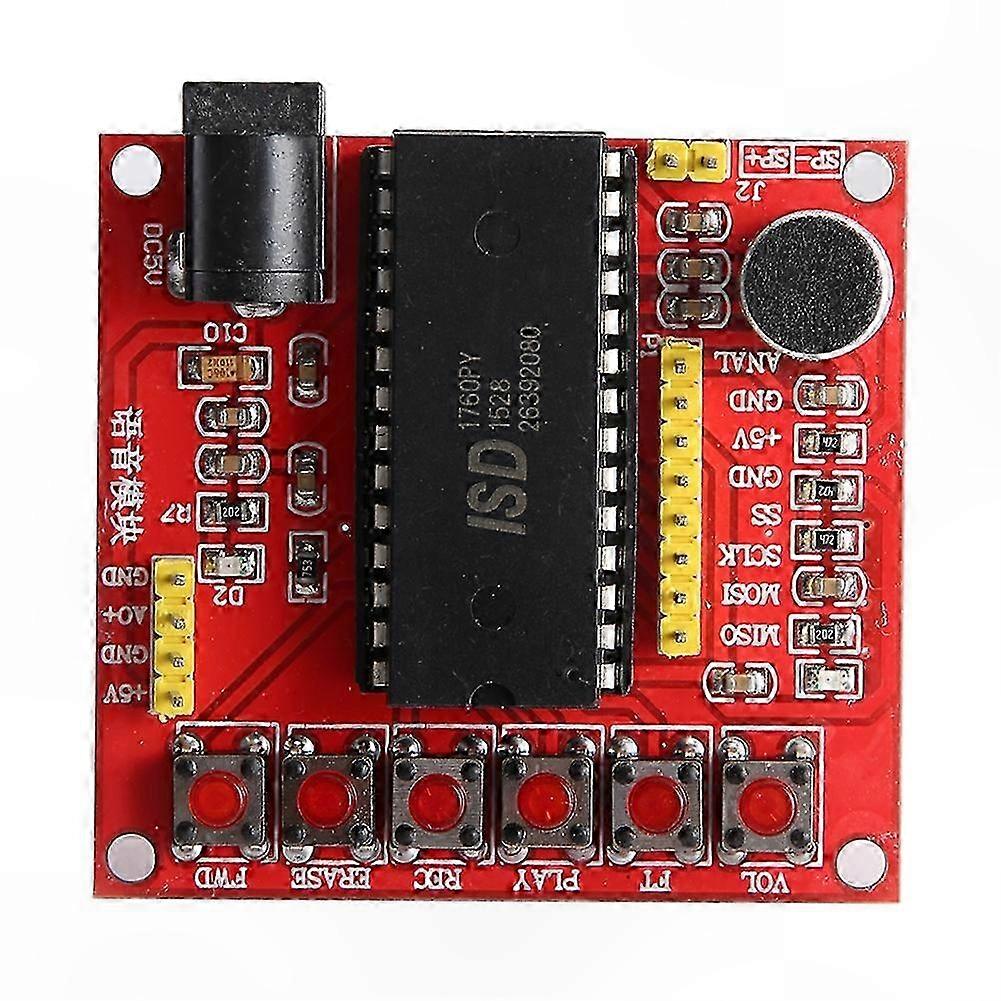
描述
5V o Recording and Playback Module with LED Indicators for Power and Chip Status
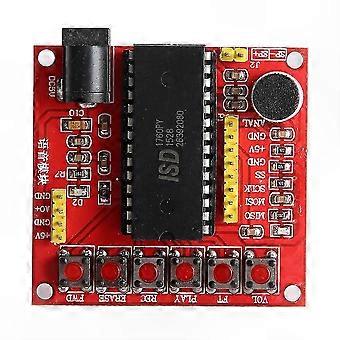
1. Recording (REC) means that pressing and holding the REC button causes the LED to light up. At this point, speaking into the MIC will record the o content into the ISD1700 voice chip. After recording a segment, the LED turns off automatically. Pressing the button again starts recording the next segment, with subsequent segments recorded in sequence.
2. Playback (PLAY) can be triggered in two ways: edge trigger and level trigger.
- Edge Trigger: Click the PLAY button once to play the current segment. The LED flashes during playback and stops when playback ends. After playback completes, the playback pointer remains at the start address of the last played segment. Pressing PLAY again replays the same segment.
- Level Trigger: Press and hold the PLAY button to continuously play all recorded messages in a loop. Playback continues as long as the button is held and stops when released.
3. Fast Forward (FWD) operation: Before playback, press the FWD button to move the playback pointer to the next segment. Each press advances the pointer by one segment. During playback, pressing FWD stops the current segment and starts playing the next one. If the last segment is playing, pressing FWD stops playback and returns to the first segment.
4. Erase (ERASE) operation: Single-segment erase is only valid for the first and last recorded segments. When the playback pointer is on the first or last segment, pressing ERASE deletes that segment. The playback pointer then moves to the second segment or second-to-last segment accordingly. Pressing and holding the ERASE button for more than 3 seconds activates the "all erase" mode—the LED flashes twice. Continue holding; after seven flashes, the LED turns off. Releasing the button at this point clears all voice data from the chip.
5. Reset (RESET) operation: Pressing the RESET button resets both playback and recording pointers to the last recorded segment. The playback pointer points to the beginning of the last segment, and the recording pointer points to the end. After reset, playback starts from the last segment, and new recordings begin immediately after the last recorded content.
6. Volume (VOL) adjustment: Tapping the VOL button adjusts the output volume of the chip. Each press decreases the volume by 4dB until minimum level is reached. Further presses increase the volume by 4dB per click. After reset, the default output volume is set to maximum.
7. FT Pass-Through Mode: Connect the FT pin to ground (GND) to enable pass-through mode. In this mode, o input from the Analn terminal is routed directly to the speaker or AUD output. During recording, if FT is activated, the incoming o signal is simultaneously recorded.
Product Includes:
1 x Recording and Playback Module
Item Type: Recording Module
Size: Approx. 5.5 cm x 5.0 cm (2.2 in x 2.0 in)
Power Supply: 5V
Recording Time: 75 seconds at 6K sampling rate, 60 seconds at 8K sampling rate
Chip Operating Frequency: Selectable between 6kHz and 8kHz
Indicator Lights: Power indicator and chip status indicator
-
Fruugo ID:
423335588-890816115
-
EAN:
9152174665712