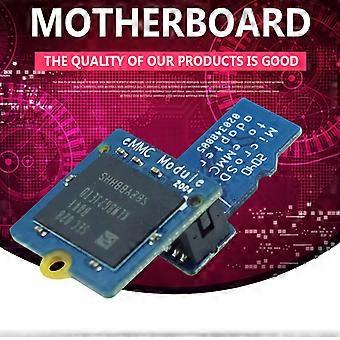
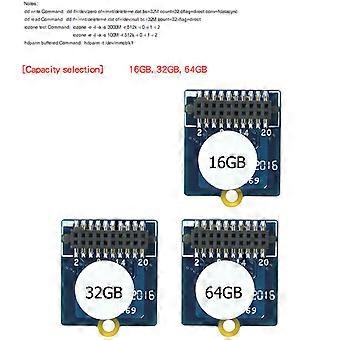
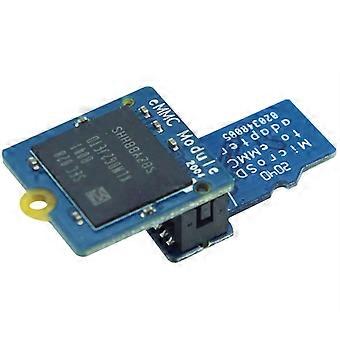
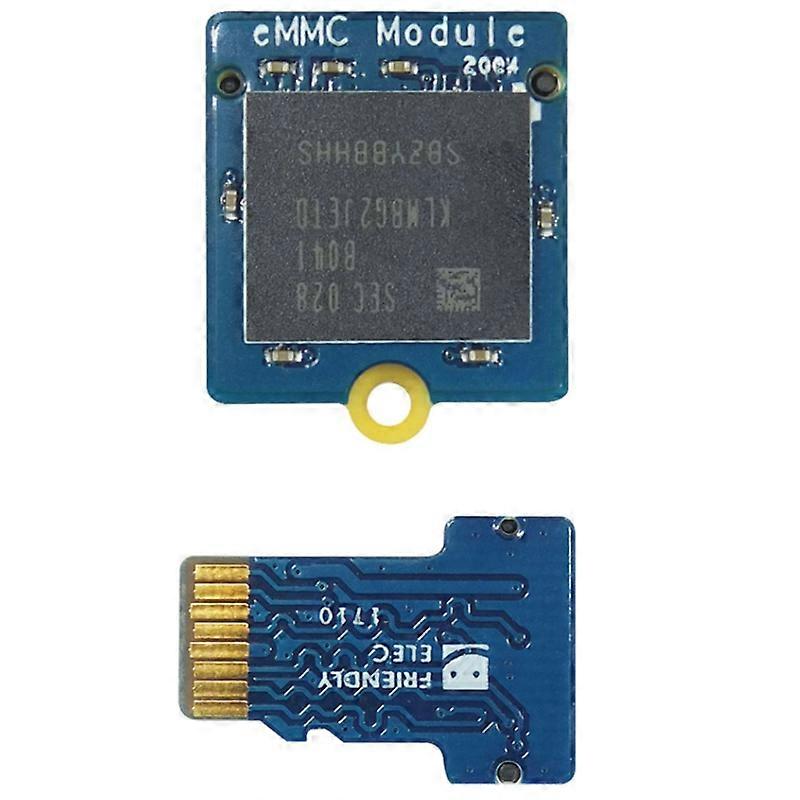
EMMC Module 16GB with Micro-SD Turn EMMC Adapter T2 for NanoPi/PC/RK3399 Development Board

$41.95
+ $4.49 送货

EMMC Module 16GB with Micro-SD Turn EMMC Adapter T2 for NanoPi/PC/RK3399 Development Board

  • 品牌: Unbranded

EMMC Module 16GB with Micro-SD Turn EMMC Adapter T2 for NanoPi/PC/RK3399 Development Board

  • 品牌: Unbranded
建议零售价: $69.00
价格: $41.95
您节省了: $27.05 (39%)
由……售出:
$41.95
+ $4.49 送货

有货

14天退货政策

付款方式:

描述

EMMC Module 16GB with Micro-SD Turn EMMC Adapter T2 for NanoPi/PC/RK3399 Development Board

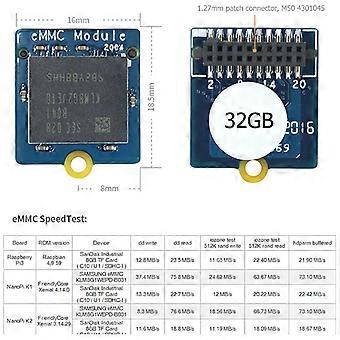
Programming system to eMMC module: Prepare an SDHC card with a capacity of 8G or above, unzip the EFlasher firmware and the flash tool win32diskimager separately, and run win32diskimagerI as an administrator under Windows. On the interface of win32diskimagerI, choose your SD card drive letter After decompressing the EFlasher firmware, click the Write button to burn to the SD card, or use the dd command to write the EFlasher firmware to the SD card under Linux. After the programming is completed, eject the SD card from the computer, insert the development board and start the development board, then the system will start from the SD card and start automatically. EFlasher programming tool, you have multiple ways to operate EFlasher. Method 1: Connect HDMI or LCD display and USB mouse, operate EFlasher on the graphical interface. Method 2: Connect the development board to the LAN through a network cable, log in to the development board through ssh, and then enter the command eflasher to operate according to the prompts of the command line. (Note: The user logged in by ssh is root, the password is fa, and the development board IP can be viewed (Obtained in the background of the router). Method 3: Log in to the serial terminal through the debugging serial port, enter the command eflasher on the terminal to operate. Method 4: Connect an Icd2usb accessory to the development board, press the accessory. The K1 key above can select the system to be programmed, then press the K2 key to confirm the programming, the programming progress will be displayed on lcd2usb. After the programming is completed, cut off the power, then pull out the SD card on the development board, and then power on again, the development board will start the system you just programmed from eMMC. Colour: blue Material: plastic Size: 18.5x16mm <
  • 品牌: Unbranded
  • 类别: 开发板
  • 颜色: Blue
  • Fruugo ID: 448827410-943817032
  • EAN: 6133064584927

产品安全信息

请参阅下面列出的特定于该产品的产品安全信息

以下信息由销售该产品的独立第三方零售商提供。

制造商零件号: I500028798A1
序列号: I500028798A1

配送 & 退货

在 24 小时内发货

  • STANDARD: $4.49 - 之间的交付 周四 01 一月 2026–周五 09 一月 2026

从 中国 送货。

我们会争取将您订购的产品按照您的规格完整地配送给您。不过,万一您收到不完整的订单,或收到的产品与您订购的不同,或者有其他原因让您对订单不满意,您可以要求全部或部分退货,您将收到相应产品的全额退款。 查看完整的退货政策

产品合规详细信息

请参阅下面概述的针对该产品的合规性信息。

以下信息由销售该产品的独立第三方零售商提供。

制造商:
以下信息概述了在Fruugo销售的相关产品的制造商联系信息。

  • Shenzhen Haoyouqu Electronics Co., Ltd.
  • Shenzhen Haoyouqu Electronics Co., Ltd.
  • Tian'an Community
  • Shatou Subdistrict
  • Futian District
  • shenzhen
  • CN
  • 518000
  • retureauamelie56@outlook.com
  • 15320490316

欧盟负责人:
以下信息概述了欧盟负责人的联系信息。该负责人是位于欧盟的指定经济运营者,负责有关销售到欧盟的相关产品的合规义务。

  • 0utong GmbH
  • 0utong GmbH
  • Brehmstr, 56,40239 Duesseldorf
  • Düsseldorf
  • Germany
  • 40239
  • info@outong.de
  • 4921131054698