描述
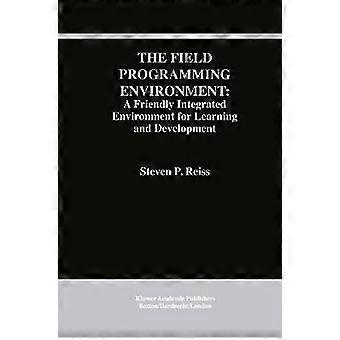
The Field Programming Environment: A Friendly Integrated Environment for Learning and Development
1 Integrated Programming Environments. - 1. 1 What Is a Programming Environments. - 1. 2 Classification of Environments. - 1. 3 Objectives in Building Field. - 1. 4 Integration Strategies. - 1. 5 Overview of the Field Environment. - 2 The FIELD Integration Mechanism. - 2. 1 The Message System. - 2. 2 Pattern Matching. - 2. 3 Message Types. - 2. 4 Message Groups. - 2. 5 Other Message Facilities. - 2. 6 The Msg Program Interface. - 2. 7 Comparison To Other Implementations. - 3 The FIELD Policy Service. - 3. 1 The Policy Concept. - 3. 2 Policy Language Concepts. - 3. 3 Sample Policy Programs. - 4 The FIELD Debugger. - 4. 1 Overall Debugger Organization. - 4. 2 The Message Interface. - 4. 3 Messages Generated by the Debugger. - 4. 4 The Textual Command Language. - 5 Cross-Referencing in FIELD. - 5. 1 The Overall Approach. - 5. 2 The Cross-Reference Database System. - 5. 3 The Cross-Reference Scanners. - 5. 4 The Cross-Reference Server. - 6 FIELD Services. - 6. 1 Configuration and Version Control. - 6. 2 Program Profiling. - 6. 3 Execution Monitoring. - 7 The Brown Workstation Environment. - 7. 1 History of Bwe. - 7. 2 Basic Bwe Components. - 7. 3 Structured Graphics Display. - 7. 4 Resource Management. - 8 The Annotation Editor. - 8. 1 Annotations. - 8. 2 Integrating Annotations and Messages. - 8. 3 Permanent Annotations. - 8. 4 Annotation Editor Interface. - 9 The Debugger Interface. - 9. 1 Overview. - 9. 2 DBG. - 9. 3 Viewers of Debugger Information. - 9. 4 The User Input-Output Viewer. - 10 The Interface for Cross-Referencing. - 10. 1 Defining Standard Queries. - 10. 2 Query Processing. - 10. 3 Interacting with Other Tools. - 11 The Call Graph Browser. - 11. 1 Organizing the Data. - 11. 2 Browsing Options. - 11. 3 Information Window. - 11. 4 Animating the Call Graph. - 11. 5 Interacting with the Environment. - 12 The Class Hierarchy Browser. - 12. 1 What to Display. - 12. 2Displaying Large Hierarchies. - 12. 3 Class and Member Information. - 12. 4 Interacting with the Class Browser. - 13 The Interface to UNIX Profiling Tools. - 13. 1 Displaying the Performance Data. - 13. 2 Interacting with Xprof. - 14 Configuration and Version Management. - 14. 1 Obtaining the Information. - 14. 2 Displaying the Dependency Graph. - 14. 3 Browsing Options and Commands. - 14. 4 Interacting with Other Tools. - 15 Data Structure Display. - 15. 1 Getting the Information. - 15. 2 Default Display Definitions. - 15. 3 User-Defined Display Definitions. - 15. 3. 1 The APPLE Editor. - 15. 3. 2 The APPLE User Interface. - 15. 4 Examples of Mapping Definitions. - 15. 5 Editing Data Structures Graphically. - 16 Monitoring Program Execution. - 16. 1 Heap Visualization. - 16. 2 Input/Output Visualization. - 16. 3 Performance Visualization. - 17 The Control Panel. - 17. 1 Defining the Control Panel. - 17. 2 Window Management. - 17. 3 Common Utilities. - 17. 4 Standard Button Commands. - 18 Retrospective. - 18. 1 Messaging. - 18. 2 General Structure. - 18. 3 Graphical Interfaces. - 18. 4 Editing. - 18. 5 Debugging. - 18. 6 Program Database. - 18. 7 Experience with the Environment. - 18. 8 Conclusion. Language: English
-
品牌:
Unbranded
-
类别:
计算机与互联网
-
语言:
English
-
出版日期:
2012/10/16
-
艺术家:
Steven P. Reiss
-
页数:
286
-
出版社/标签:
Springer
-
格式:
Paperback
-
Fruugo ID:
340458709-746833332
-
ISBN:
9781461359302