描述
Three Channel Kitchen Timer Portable Digital
Three Channel Kitchen Timer Portable Digital
Brief description of product features and functions:
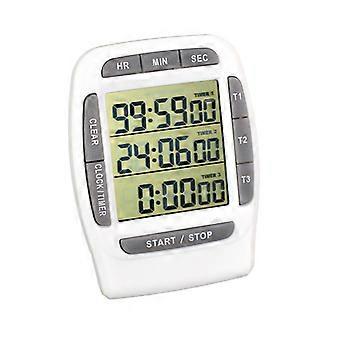
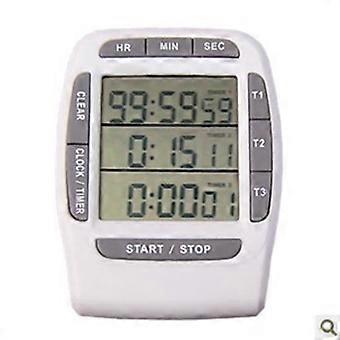
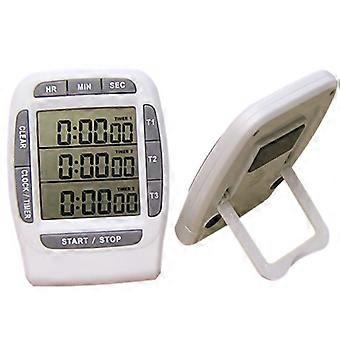
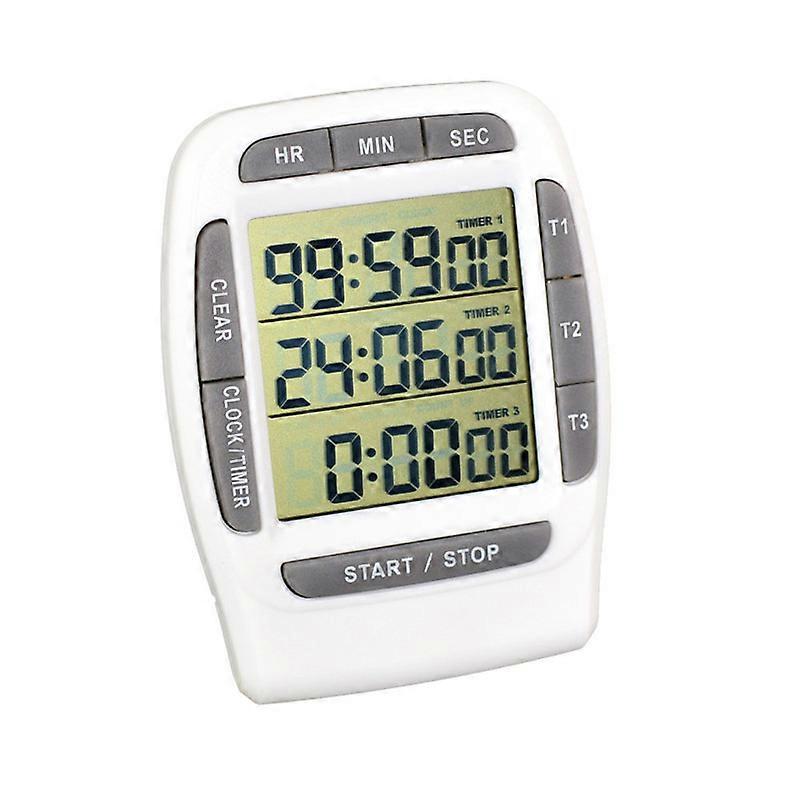
Structural features: extra large window, three-row display; attached with bracket and magnet, can be placed vertically and can be pasted on metal;
Clock function: hours, minutes, seconds, AM/PM (morning/afternoon) display, 12-hour format;
Stopwatch/Counter Timing Function: Counter time in units of one hundredth (1/100) second, the maximum time is 99 hours, 59 minutes and 59 seconds. The timer cannot be preset, and there is no alarm function; the timer can pause;
Countdown function:
1. You can perform 1-3 groups of countdowns independently, or you can start three groups of countdowns at different times at the same time. There will be a 1-minute sound reminder when the countdown is completed, and the countdown can be paused;
2. When the countdown is completed, each channel will calculate the time after the countdown of the channel is completed according to the positive timing;
3. It has a memory function. The countdown time set for each channel will not disappear before the time is reset, making it easy to reuse;
4. Different countdown times can be set for the three channels respectively, and the three channels can start the countdown at the same time or individually;
5. The countdown and countdown (stopwatch) functions can be used at the same time;
6. Countdown time range: 1 second - 99 hours, 59 minutes and 59 seconds.
The following is a brief explanation of how to operate the countdown (stopwatch) and countdown functions:
(For other functions, please refer to the manual or study and master them yourself)
1. How to use the timing (stopwatch) function:
1. In the clock interface, the second and third rows are positive timing (stopwatch) displays, the second row displays 0.** seconds, and the third row displays hours, minutes, and seconds;
2. Press the START/STOP button to start counting, press the START/STOP button again to pause, and press the START/STOP button again to continue counting; after the counting is completed or paused, press the CLEAR button to clear the counting time. While in progress, pressing the CLEAR key has no effect;
3. During the timing process, you can press the CLOCK/TIMER key to enter the countdown interface to operate the countdown; in the timing (stopwatch) interface, you can see the channel status of the ongoing and completed countdown.
2. How to use the countdown function:
1. Press the CLOCK/TIMER key to switch to the countdown interface;
2. If you only need to perform a set of countdowns, press the T1 button (or T2 or T3 button, the same below) for two seconds. "0:00:00" in the first row will flash. Press the HR, MIN, and SEC buttons above to set the time respectively. , minutes and seconds, press the T1 button to confirm, then press the T1 button to start the countdown of the channel, and then press the T1 button to pause (the CLEAR button cannot be pressed in the pause state, otherwise the countdown time will be cleared); after the countdown is completed, the channel flashes , and press the countdown to calculate the time after the countdown is completed, and the sound will remind you for one minute; press the T1 key to stop the alarm sound and stop the countdown, at this time the screen will display the time after the countdown is completed and flash; press the CLEAR key, the channel will return to the initial 0:00 :00 state; if you need to repeat the countdown, press the T1 button once, and the preset countdown time will be displayed. Press the T1 button again to start the countdown again.....
3. If you need to start 2 or 3 groups of countdowns at the same time, follow the above setting method to set the countdown time of T1, T2, and T3 channels respectively. Press the START/STOP key. Each channel will start counting down at the same time. When the countdown of each channel is completed, it will be displayed. The time after the countdown is completed; after the countdown stops, press the CLEAR key to clear each channel; press the START/STOP key again to recall the preset countdown time of each channel, press each channel key (T1, T2, T3) The channel countdown can be started independently;
4. If you need to perform 2 or 3 groups of time countdowns, and the start times are not at the same time, you can set them separately and press each channel key to operate independently, and each channel will not affect each other.
Key Description:
T1, T2, T3: channel keys
HR, MIN, SEC: time setting keys
CLEAR: clear key
START/STOP: Start/stop button, control 1-3 channels
CLOCK/TINER: Mode key
-
Fruugo ID:
259504188-566363946
-
EAN:
7022896049928