描述
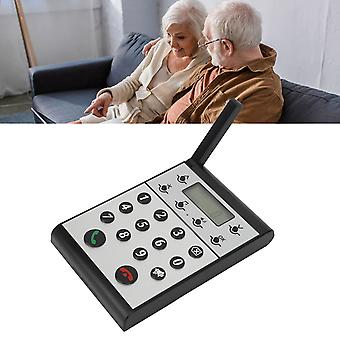
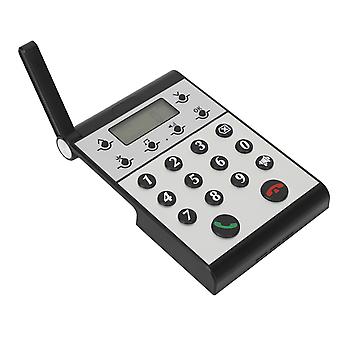
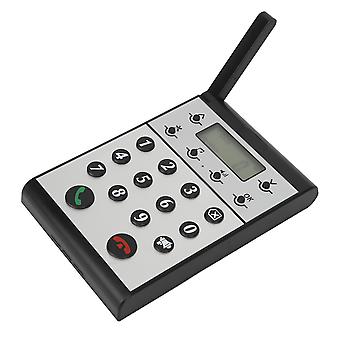
Wireless Intercom System for Home Two Way Talk 2km Range LCD Screen Group Calls Room To Room Master Intercom
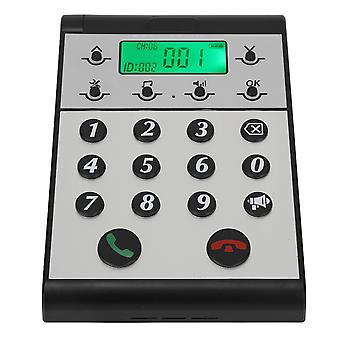
Feature 1TWO WAY TALK: Wireless intercom system allows for real time two way communication and features full duplex monitoring, excellent range, clear sound, and group calls. 22KM LONG RANGE: With a range up to 2km in open space, our wireless intercom system is simple, effective, and applicable for indoor and outdoor use. 3LCD DISPLAY: Equipped with a clear LCD screen, wireless intercom system is incredibly easy to operate and allows for clear display during usage. Suitable for your home or office needs. 4CLEAR SOUND: Wireless intercom system provides clear sound quality, ensuring reliable and safe communication, which is interference free and stable for clear conversations. 5VERSATILE USE: Wireless intercom system is ideal for numerous scenarios including business, office, and home use. With its clear communication, long range, and ease of use.Item Type: Wireless IntercomMaerial: ABSBuilt in Battery: 2000mAh Lithium ion BatteryVolume Level: 7 LevelsCommunication Distance: Up to 2km in open spaceHost to Host Intercom: All hosts can call each otherHost to Sub intercom: Host can call sub intercomsHow to UseStep One: Setting the ID Number for the Host 1. Press and hold the Settings key for 3 seconds until a beep is heard. 2. The screen will display "1." 3. Press the <OK> key and "<ID: 999>" will begin to flash. 4. Use the keypad to input the desired <ID> number (0 is between 1 and 998). 5. Press <OK> to confirm and an audible "dudu" sound will indicate that the <ID> number has been set successfully. Step Two: Setting the Same Channel "CH" for the Host 1. Press and hold the Settings key for 3 seconds until a beep is heard. 2. Press the upward arrow key <^> once and the screen will switch from "1" to "2." 3. Press <OK> and "<CH: 01>" will begin to flash. 4. Use the upward <> or downward <v> arrow key to adjust the channel <CH>, selecting a channel number between 01-20. 5. Press <OK> to confirm and an audible "dudu" sound will indicate that the channel <CH> has been set successfully. Step Three: Setting the Same Password for the Host 1. Press and hold the Settings key for 3 seconds until a beep is heard. 2. Press the upward arrow key <^> once more and the screen will switch from "1" to "3." 3. Press <OK> and "<000>" will begin to flash. 4. Use the keypad to input the desired <password>, a three-digit number between 001-999. 5. Press <OK> to confirm and an audible "dudu" sound will indicate that the <password> has been set successfully.
.wang-edit-text{
font-family:'Arial' !important;
}
.wang-edit-text table {
border-top: 1px solid #000;
border-left: 1px solid #000;
}
.wang-edit-text table td,
.wang-edit-text table th {
border-bottom: 1px solid #000;
border-right: 1px solid #000;
padding: 3px 5px;
}
.wang-edit-text table th {
text-align: center;
}Package List1 x Wireless Intercom1 x Instruction Manual1 x Sticker1 x USB CableNoteSub intercom and Sub intercom cannot make calls to each other
-
Fruugo ID:
226381790-482992291
-
EAN:
4023690893963