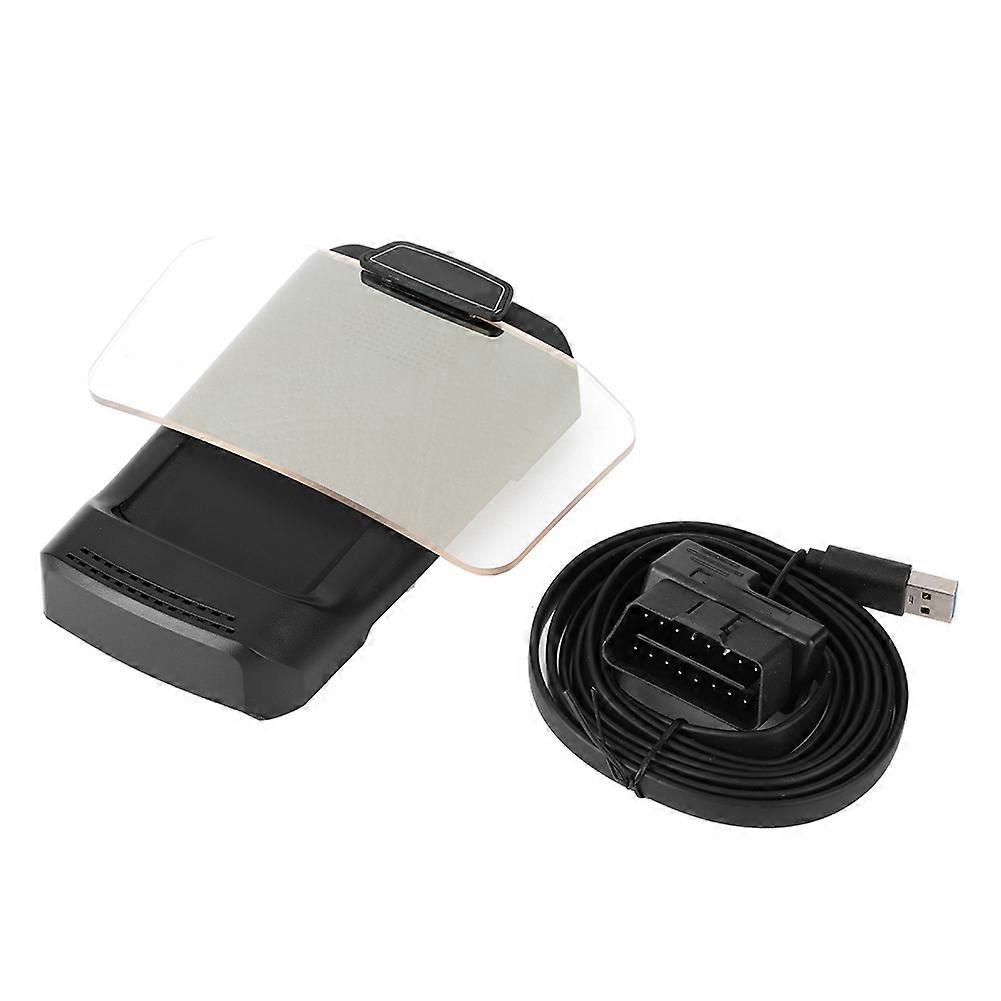
X500 HUD GPS Navigation Display Car Projection Speedometer E2U311

$249.00
FREE Shipping

X500 HUD GPS Navigation Display Car Projection Speedometer E2U311

  • Brand: Unbranded

X500 HUD GPS Navigation Display Car Projection Speedometer E2U311

  • Brand: Unbranded
RRP: $349.00
Price: $249.00
You save: $100.00 (28%)
Sold by:
$249.00
FREE Shipping

Only 9 left in stock

14-Day Returns Policy

Payment methods:

Description

X500 HUD GPS Navigation Display Car Projection Speedometer E2U311

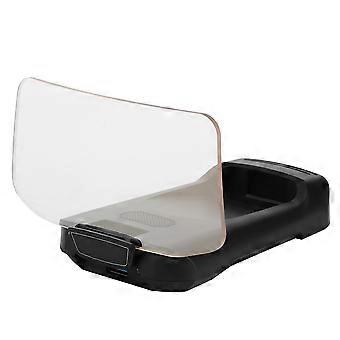
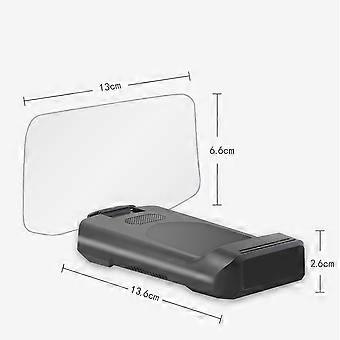
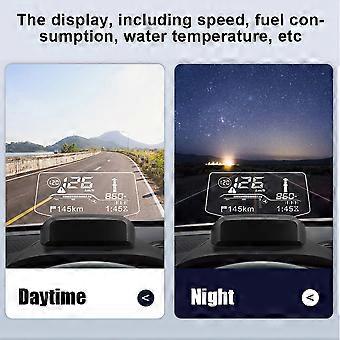
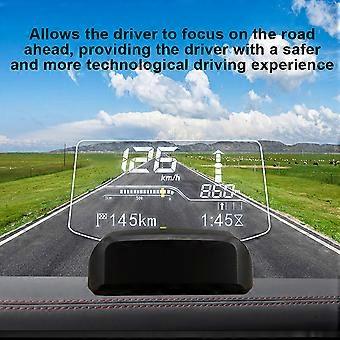
Feature 1、The integrated smart HUD is a head-up display device that connects the car's ECU and mobile phone. 2、This product is installed on the dashboard and displays the navigation information of the car or mobile phone in the HUD via Bluetooth transmission. 3、The display, including speed, fuel consumption, water temperature, etc. 4、Allows the driver to focus on the road ahead, providing the driver with a safer and more technological driving experience. 5、Precision manufacturing ensures stable performance and long service life.Condition: 100% Brand NewItem Type: HUD Navigation DisplayMaterial: ABSColor: BlackSize: Approx.2.6x13.6cm/1.02x5.35inFitment:12V USA cars USA Made after 2000.01.0112V EU gasoline cars manufactured after 2004.01.01EU 12V diesel cars made after 2004.01.0112V Asian cars manufactured after 2009.01.01How to Install:1. Insert the OBD plug into the vehicle's OBD interface.2. Start the vehicle and plug the other end of the OBD power cable into the power jack on the back of the HUD.The vehicle's OBD position is generally the one shown in the figure. Tips: The Bluetooth HUD will automatically start after the vehicle is on, and the vehicle will automatically turn off after the vehicle is off. Some vehicles may be delayed from 3 to 5 minutes.3. Attach the HUD to the soft rubber base first, or attach the base with the attached glue to secure it.4. Place the HUD on the instrument panel, select a position where the information on the screen is clearest, and confirm this position.5. Open the downloaded Anavi navigation software, click on the HUD in the upper left corner for Bluetooth connection, the software will automatically scan to cxat BT, click to connect to the HUD host. After the connection is successful, the connection will be made automatically afterwards.6. HUD parameter setting: Click the setting icon in the lower right corner to Enter the setting function, and then click HUD setting to enter the setting.7. Download the map offline. Click the settings icon in the lower right corner to enter the settings feature, then click the Offine map to enter the offline map download. Select the country and region you need to download the offline map to use it. .wang-edit-text{ font-family:'Arial' !important; } .wang-edit-text table { border-top: 1px solid #000; border-left: 1px solid #000; } .wang-edit-text table td, .wang-edit-text table th { border-bottom: 1px solid #000; border-right: 1px solid #000; padding: 3px 5px; } .wang-edit-text table th { text-align: center; }Package List1 x HUD Navigation Display1 x User Manual1 x OBD Cable
  • Fruugo ID: 305554145-684527792
  • EAN: 7987249503833

Delivery & Returns

Dispatched within 3 days

  • STANDARD: FREE - Delivery between Mon 19 January 2026–Thu 05 February 2026 - FREE

Shipping from China.

We do our best to ensure that the products that you order are delivered to you in full and according to your specifications. However, should you receive an incomplete order, or items different from the ones you ordered, or there is some other reason why you are not satisfied with the order, you may return the order, or any products included in the order, and receive a full refund for the items. View full return policy

Product Compliance Details

Please see the compliance information specific to this product outlined below.

The following information is provided by the independent third-party retailer selling this product.

Manufacturer
The following information outlines the contact details for the manufacturer of the relevant product sold on Fruugo.

  • Advance Parts Zone
  • Shenzhen Mike Technology Co. Ltd.
  • No. 108 Donghuan 1st Road
  • Yousong Technology Building 4-B01
  • Shenzhen
  • CN
  • 518000
  • miekortech@hotmail.com
  • +8613714168241

Responsible Person in the EU
The following information outlines the contact information for the responsible person in the EU. The responsible person is the designated economic operator based in the EU who is responsible for the compliance obligations relating to the relevant product sold into the European Union.

  • Ben XU
  • REP Europe GmbH
  • Annastr. 9 B
  • Griesheim
  • Germany
  • 64347
  • info@rep-europe.de
  • +4915751253212
  • http://www.rep-europe.de/